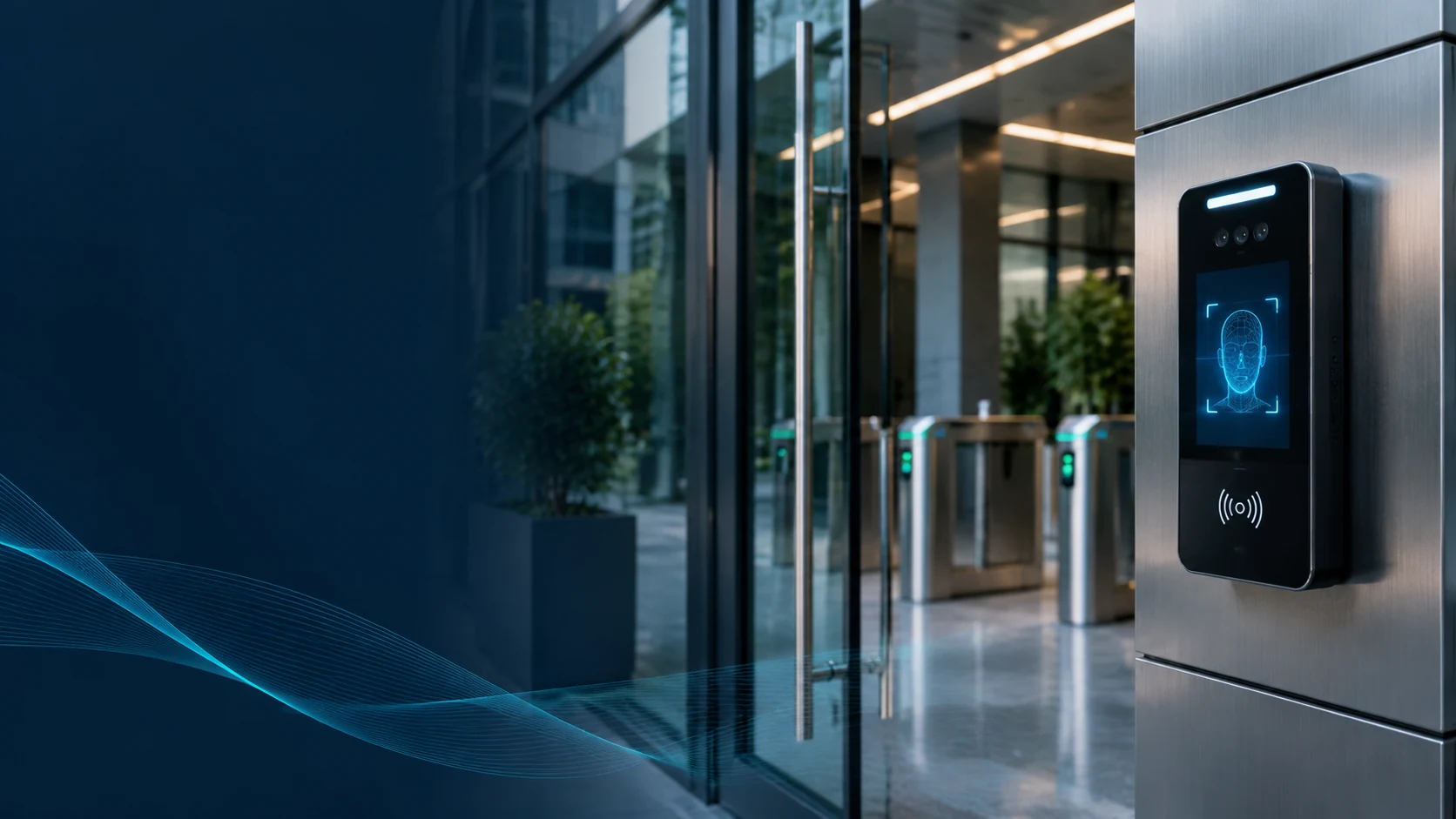
What is ARMATURA?
ARMATURA is a security technology brand whose published portfolio spans access control hardware, biometric integration, security software, entrance control and parking management. Its official catalogue lists controllers, I/O expansion boards, smart readers, standalone terminals, software platforms, biometric SDKs and modules, parking products and accessories.
ARMATURA is not a single-device or single-biometric product line. Its catalogue spans components used in identity verification, door access decisions, managed pedestrian entry, parking management and software integration. The exact functions available depend on the selected product, software edition, licensing and system configuration.
This guide summarizes the manufacturer-listed product families and explains how key access-control components relate to one another. It is an independent overview, not a substitute for model-specific technical documentation.
ARMATURA products and solutions
ARMATURA’s official catalogue groups its offering into access-control hardware, software, entrance control, parking management, biometric integration and accessories. The overview below reflects categories and model names listed by the manufacturer; it does not imply that every item is available in every country, configuration or sales channel.
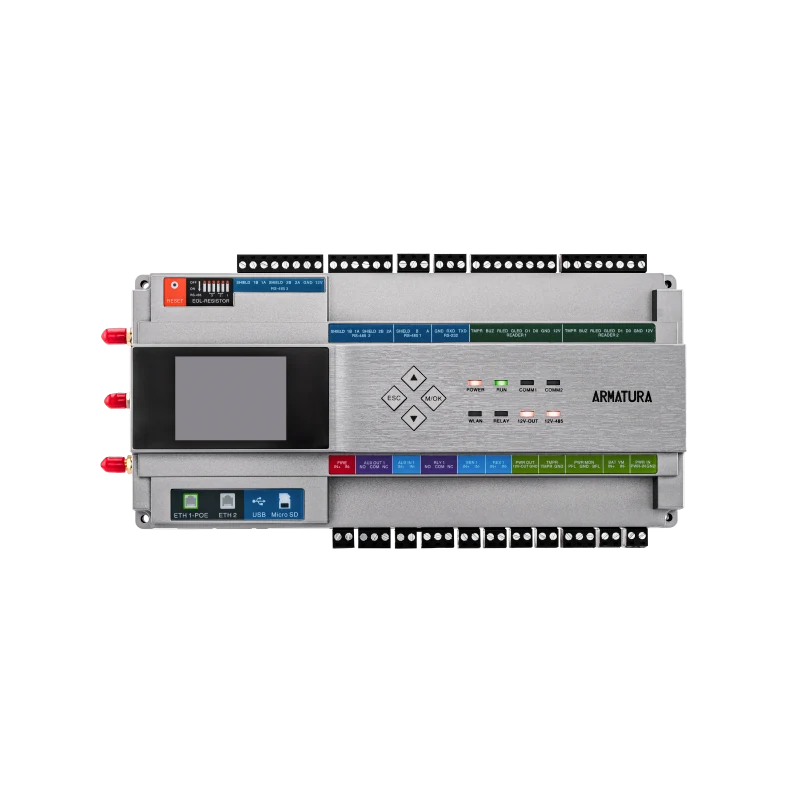
Access control controllers
Primary and secondary controllers, plus I/O expansion boards, form the control layer for supported door and access-control installations.
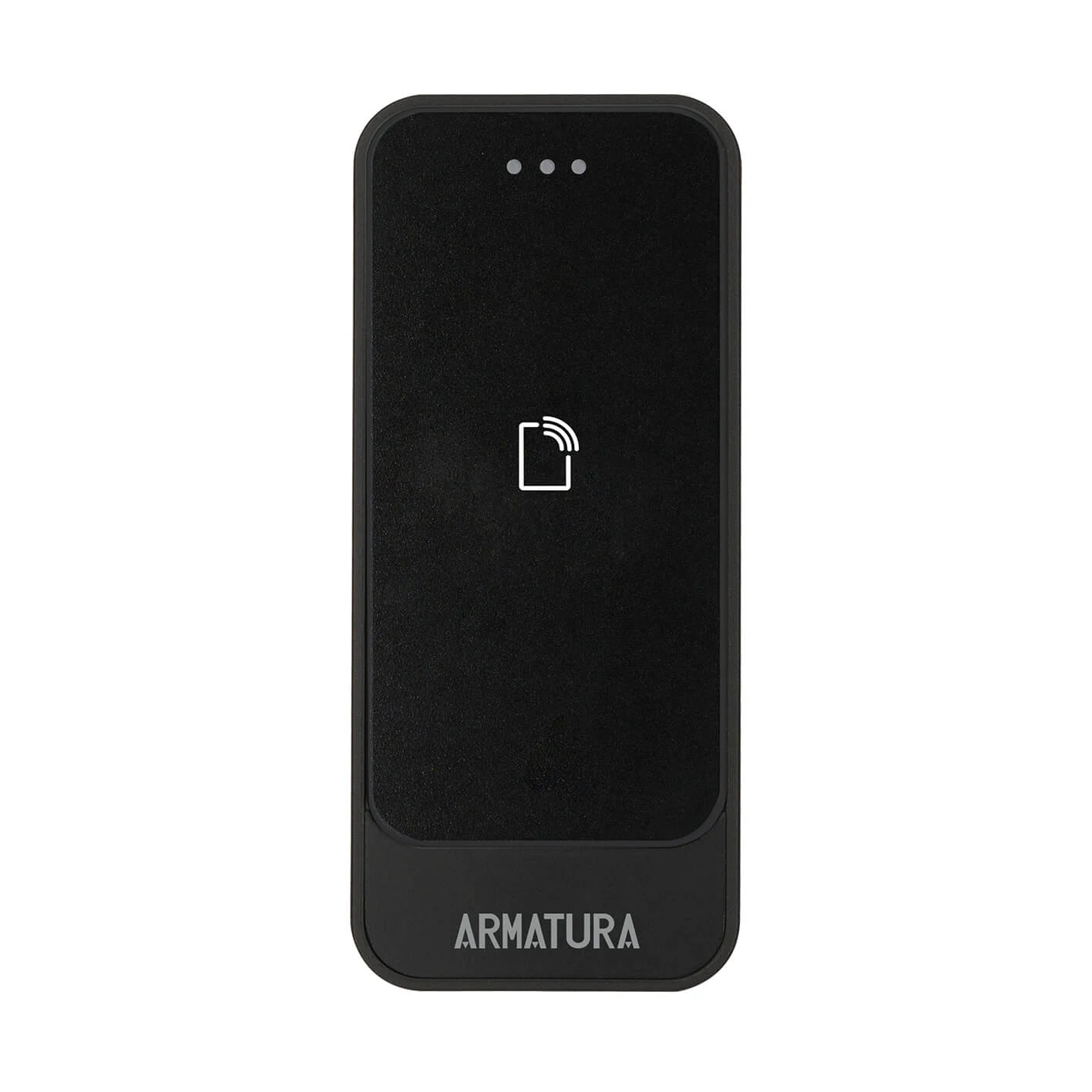
Smart readers
Reader families include EP10, EP20 and EP30, alongside other reader models listed in the manufacturer's catalogue.
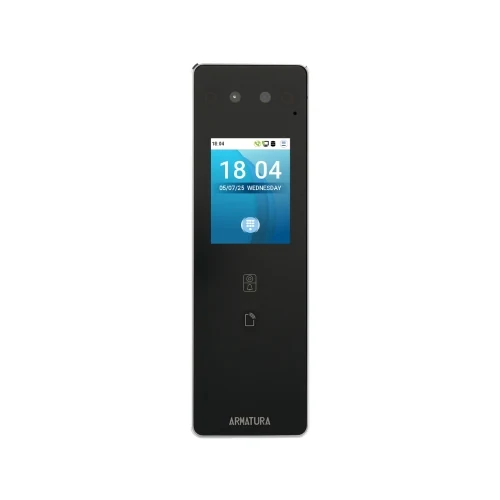
Standalone terminals
OmniAC20, OmniAC30 and FT10CMQ are listed as standalone terminal products. Supported credentials and functions vary by model.
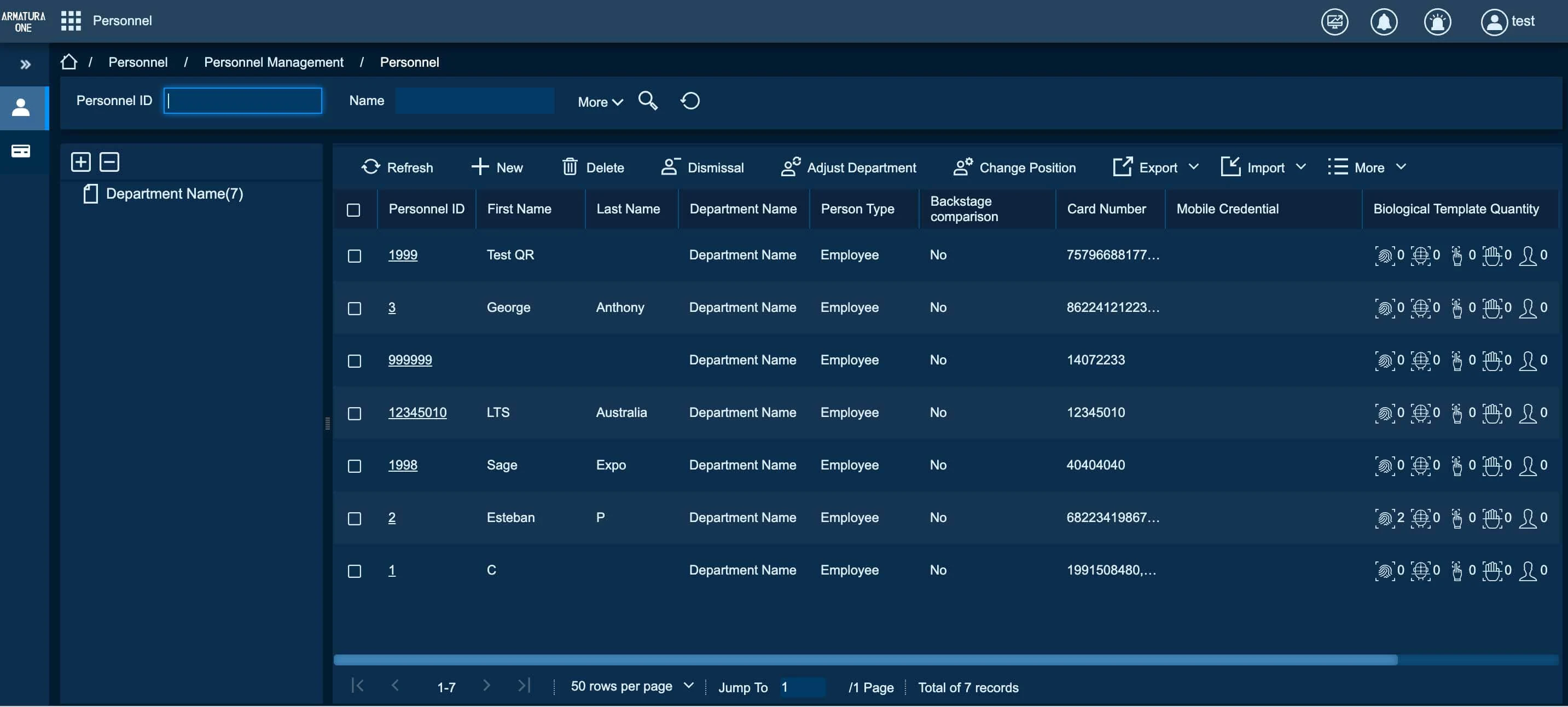
Security software
ARMATURA lists PHALANX, the IOC Platform and ARMATURA ONE within its software portfolio.
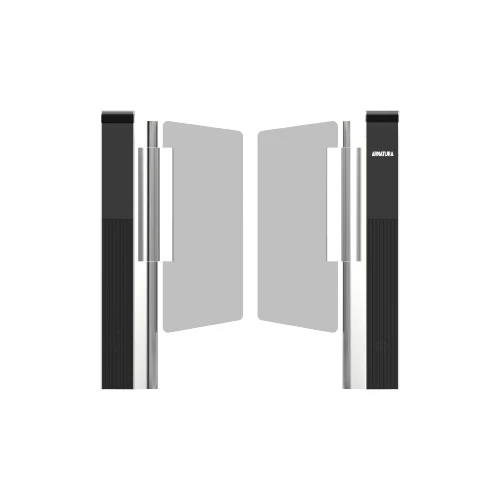
Entrance control
The catalogue includes Avalon and Aegis product families for managed pedestrian entrance environments.
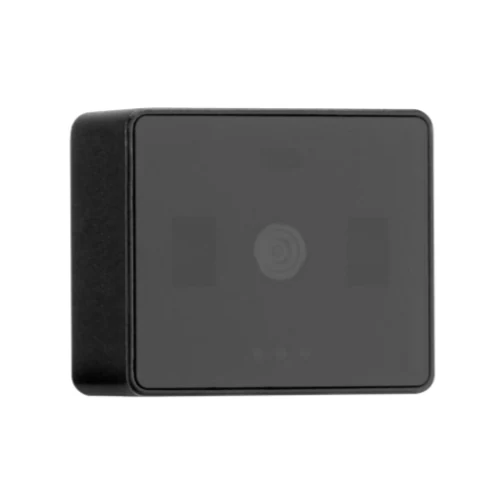
Biometric modules
ARMATURA lists biometric integration modules including AMT-PIX-20 and several additional module families for OEMs and solution developers.
Biometrics SDKs
The integration catalogue lists FacePro Android & Windows SDK and Palm Mobile SDK for developers working with biometric technologies.
Parking management
ARMATURA lists AMTL-UHF-10 and AMTL RAD-10 under its Parking Management category. Refer to the current product documentation for their functions and specifications.
Accessories and enclosures
The catalogue also lists a PoE Splitter, ENC1 and ENC2 enclosures, and cards as accessory items.
The six product images shown above illustrate selected examples, not every item in the catalogue. Product names and descriptions are linked to manufacturer resources where available. Confirm current specifications and obtain any required permission for commercial reuse of product imagery.
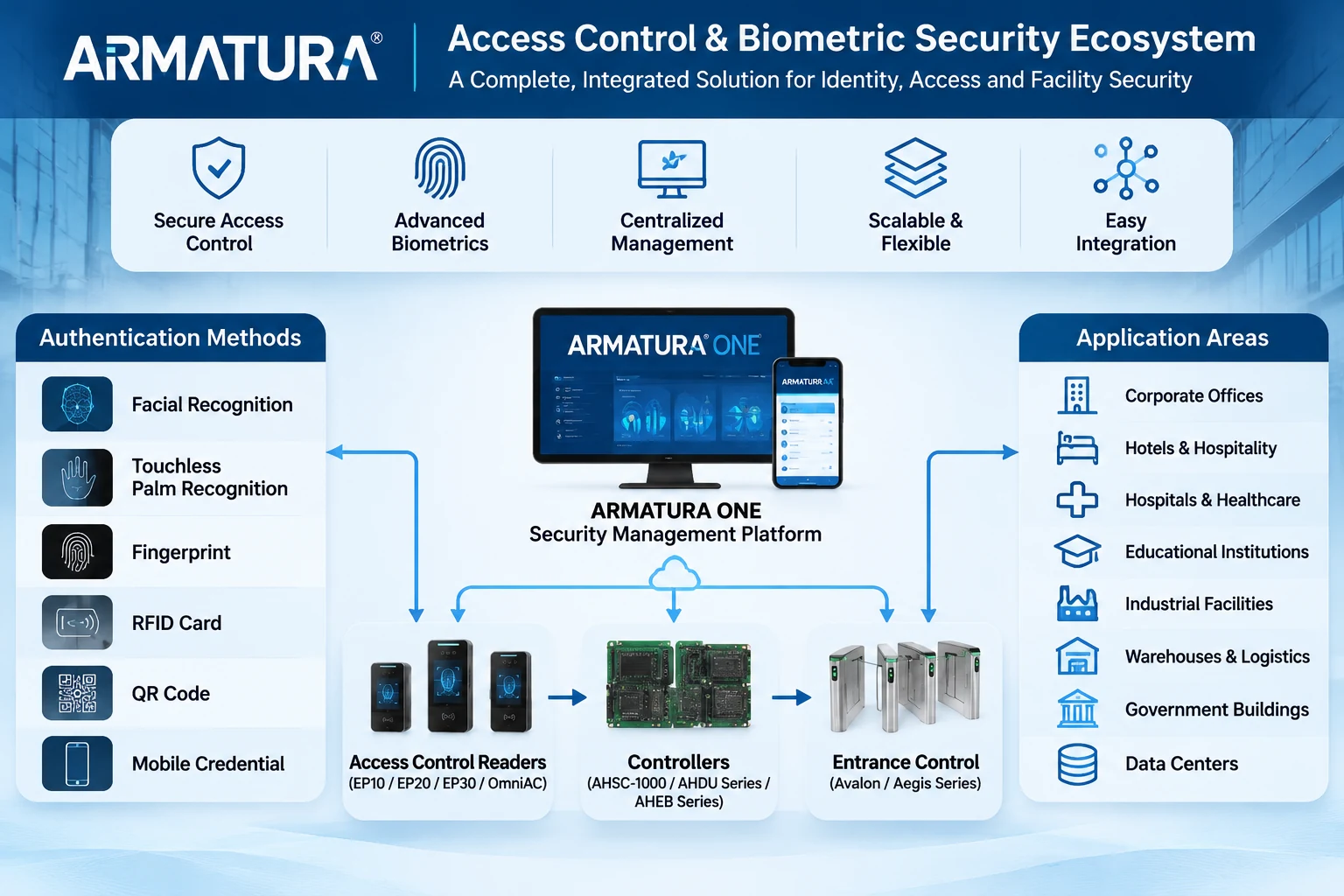
ARMATURA ecosystem infographic
This infographic summarizes the core access-control and biometric ecosystem: authentication methods, readers, controllers, management software and entrance control. It is a conceptual overview rather than a complete catalogue map; parking management, accessories and all biometric integration modules are covered separately in the text below.
How does an ARMATURA access control system work?
An access-control installation typically combines a credential reader, a decision-making controller, a locking device and management software. The exact topology depends on the model and deployment design.
Depending on system design, software is used to configure users, credentials, access levels, schedules and event records.
Conceptual architecture for explanation only. It is not a wiring diagram or a guarantee that every listed ARMATURA device supports every connection shown. Confirm the relevant manual and compatibility documentation before designing an installation.
A reader and a controller perform different jobs. A reader captures or receives a credential; a controller applies the configured access rules and operates connected door hardware. Some standalone terminals combine more than one role. The manufacturer's documentation should be checked for communication interfaces, supported credentials and compatible controllers for each selected model.
ARMATURA biometric technologies
Biometric authentication uses measurable human characteristics to help verify identity. ARMATURA’s published technology pages reference face recognition, touchless palm recognition and multi-technology RFID, while its product and integration materials also list fingerprint-related components and biometric SDKs.
Facial recognition
A camera-based method that compares a captured face representation with an enrolled identity template. Performance depends on the specific device, environment, positioning and configuration.
Touchless palm recognition
A contact-free biometric approach using palm characteristics. Confirm the exact recognition method and compatible reader or terminal in the model datasheet.
Fingerprint recognition
Fingerprint-based verification compares a presented fingerprint with an enrolled template. Support is model-specific and should not be assumed across the entire portfolio.
RFID credentials
Card-based credentials can provide a familiar access method. Supported card technologies and encryption options differ by reader and card version.
Mobile credentials
Mobile access can use supported phone-based methods such as Bluetooth, NFC or QR workflows, depending on the reader, application and software configuration.
Multi-factor access
Some deployments combine more than one credential type to apply stronger verification to selected doors, user groups or time periods.
Important: Biometric capability is not universal across all readers and terminals. Check each model’s current datasheet for supported modalities, environmental ratings, capacity, interfaces and software compatibility.
ARMATURA access control hardware
Controllers and I/O expansion
The official catalogue lists the AHSC-1000 as a primary controller, AHDU-1160, AHDU-1260 and AHDU-1460 as secondary controllers, and AHEB-1602, AHEB-0808 and AHEB-1616 as I/O expansion boards. In a project, controller selection is normally driven by door count, input/output requirements, communication topology, redundancy expectations and the intended software environment. Refer to the current manufacturer documentation for precise limits and supported configurations.
Smart reader families
ARMATURA lists EP10, EP20 and EP30 smart reader series, as well as VG10CKQ. The reader is the point at which a card or another supported credential is presented. Interface standards, credential formats, weather protection and biometric options must be checked against the exact reader variant rather than inferred from the series name.
Standalone terminals
OmniAC20, OmniAC30 and FT10CMQ appear in the manufacturer's standalone terminal category. Standalone devices can combine identity capture and local access-control functions, but the exact supported credentials, network features and capacity differ by model.
| Product family / model | Catalogue category | What to verify before specifying |
|---|---|---|
| AHSC-1000 | Primary controller | Door capacity, I/O, network interfaces, failover and software compatibility |
| AHDU-1160 / 1260 / 1460 | Secondary controllers | Exact model capacity, supported peripherals and controller topology |
| AHEB-1602 / 0808 / 1616 | I/O expansion boards | Input/output count, supported controller and wiring requirements |
| EP10 / EP20 / EP30 | Smart readers | Credential types, interface, environmental rating and variant-specific features |
| OmniAC20 / OmniAC30 / FT10CMQ | Standalone terminals | Biometric modes, credential support, capacity and network/software functions |
| AMT-PIX-20 and other AMT modules | Biometric integration modules | Supported biometric modality, host interface, operating system and SDK compatibility |
| AMTL-UHF-10 / AMTL RAD-10 | Parking management | Exact product role, supported tags/readers, interfaces and deployment requirements |
The table is a category-level summary, not a full technical specification. Consult the official catalogue and each product's datasheet.
ARMATURA security software platforms
ARMATURA ONE
ARMATURA describes ARMATURA ONE as an all-in-one, web-based integrated security platform. Its published brochure identifies modules covering personnel, access control, time and attendance, elevator management, visitor management, parking, video, office functions, entrance control, building automation and intrusion-related functions. The brochure also describes RESTful API and SDK integration options, along with supported industrial protocols through its protocol gateway. Actual modules and integrations depend on licensing, version, deployment and third-party compatibility.
ARMATURA PHALANX
ARMATURA PHALANX is described by the manufacturer as its implementation of PSIA-related interoperability specifications. The published product page lists support for AHSC-1000 and AHDU series controllers, a RESTful web API using HTTP/HTTPS, XML data formats and resources related to area control, metadata and the CSEC security model. This makes PHALANX relevant to developers and integrators evaluating programmatic access to supported controller functions.
ARMATURA IOC Platform
The IOC Platform is listed in ARMATURA’s software catalogue. For accurate evaluation, consult the official product documentation for its current scope, modules, licensing and integration details rather than assuming it has the same feature set as ARMATURA ONE or PHALANX.
When software matters
- Centralized user and credential administration
- Access levels and time schedules
- Event visibility and operational reporting
- Integration with other security or building systems
Questions to ask
- Cloud, on-premise or hybrid deployment?
- Which modules and licenses are required?
- Which devices and firmware versions are supported?
- What APIs, protocols and cybersecurity controls apply?
ARMATURA biometric integration: SDKs and modules
Beyond finished access-control devices, ARMATURA lists biometric integration resources for developers, OEMs and system manufacturers. The official catalogue separates software development kits (SDKs) from biometric hardware modules.
Biometrics SDKs
The official integration catalogue lists:
- FacePro Android & Windows SDK
- Palm Mobile SDK
ARMATURA’s SDK resources are intended to help developers integrate biometric functions into compatible applications. Confirm supported operating systems, SDK versions, licensing and device compatibility in the relevant SDK guide.
View ARMATURA Biometrics Integration SolutionsBiometric modules
The current product catalogue lists the following module names:
AMT-PIX-20AMT-PVR-50AMT-PVS-50AMT-FAPVR-30AMT-FAPVS-30AMT-FAM-10AMT-FAR-10AMT-PVM-10AMT-PVR-10AMT-FAS-35
The model names alone do not establish the exact sensor type, host interface or supported application. Use the datasheet for the exact module before engineering or purchasing decisions.
View ARMATURA Biometric ModulesDeveloper note: Do not assume that every SDK works with every biometric module or access-control terminal. Check the specific SDK guide, operating system, interface, firmware and supported device list.
For downloadable technical resources, see the ARMATURA SDK Guide.
ARMATURA entrance control systems
Entrance control equipment manages the physical passage of people through designated access points. ARMATURA's catalogue lists Avalon and Aegis product families, including Aegis-1000, Aegis-2000 and Aegis-3000.
Avalon Series
The manufacturer's Avalon material describes an entrance-control product family with credential and terminal integration options. The catalogue references RFID, QR code, facial and palm recognition, among other credential approaches. Confirm the exact supported terminal combinations and safety features for the selected model.
View Avalon Series on ARMATURAAegis Series
Aegis-1000, Aegis-2000 and Aegis-3000 Series are listed under ARMATURA entrance control. Product selection should consider lane throughput, site layout, accessibility, emergency egress, physical dimensions and integration requirements.
View entrance control portfolioARMATURA parking management products
Parking Management is a distinct category in ARMATURA’s official product catalogue. The catalogue currently lists two product names in this category:
AMTL-UHF-10
Listed by ARMATURA under Parking Management. Refer to its current product page and datasheet for the intended use, supported credentials, interfaces and installation requirements.
AMTL RAD-10
Also listed in ARMATURA’s Parking Management category. Confirm its exact function and compatibility from current manufacturer documentation rather than inferring specifications from the model name.
Official source: ARMATURA Parking Management.
ARMATURA accessories, enclosures and cards
The official product catalogue also lists supporting items alongside the main product families:
- PoE Splitter
- ENC1 and ENC2 enclosures
- Cards
These items are listed as catalogue accessories. Confirm the exact compatible models, electrical requirements, card technology and enclosure dimensions in the relevant product documentation.
Where can these technologies be used?
Access-control and entrance-management technologies are commonly evaluated for environments where organizations need to manage who can enter, which areas they can access and when permissions apply. Potential use cases include:
Corporate offices
Employee access, visitor workflows and restricted departments.
Industrial facilities
Controlled access to production areas, stores and operational zones.
Education campuses
Managed entry to buildings, labs and selected facilities.
Healthcare environments
Role-based access to staff-only and sensitive areas.
Commercial buildings
Lobby access, tenant areas and pedestrian entrance lanes.
Data and infrastructure sites
Layered access permissions for sensitive rooms and equipment spaces.
Parking facilities
Parking-related deployments should be assessed against the exact AMTL product documentation and site requirements.
These are general application examples for access-control technologies, not claims that every ARMATURA model is certified or suitable for every environment. Site risk assessment, local regulations, life-safety requirements and product approvals remain essential.
How to evaluate an ARMATURA solution
Before selecting any access-control platform, compare the project requirements with the exact product documentation. A practical evaluation should cover:
- Credential strategy: Decide whether cards, mobile credentials, biometrics or multi-factor authentication are appropriate.
- Door and lane count: Establish how many doors, readers, turnstiles and controlled zones are required.
- Controller architecture: Confirm controller capacity, I/O requirements, network topology and resilience.
- Software scope: Identify required modules, user roles, reporting, visitor workflows and integration needs.
- Interoperability: Verify supported APIs, protocols, third-party devices and firmware versions.
- Privacy and cybersecurity: Review biometric data handling, retention, encryption, access logging and applicable privacy obligations.
- Life safety: Ensure door release, emergency egress and turnstile behavior comply with relevant codes and site requirements.
Independent research tip: Do not compare products by brand name alone. Compare the precise model, firmware, interface, credential support, environmental rating, software license and documented certifications.
Frequently asked questions about ARMATURA
1. What is ARMATURA?
2. What products does ARMATURA offer?
3. Which access control controllers are listed by ARMATURA?
4. Which ARMATURA smart reader families are available in the catalogue?
5. What are OmniAC20, OmniAC30 and FT10CMQ?
6. What is ARMATURA ONE?
7. What is ARMATURA PHALANX?
8. Which biometric SDKs does ARMATURA list?
9. Which biometric modules are listed?
10. Does ARMATURA offer parking management products?
11. Which entrance control product families does ARMATURA list?
12. Which accessories are included in the ARMATURA catalogue?
13. Where can I verify current ARMATURA specifications?
Understanding the ARMATURA ecosystem
ARMATURA’s published portfolio spans access-control controllers, readers and terminals; biometric technologies, SDKs and modules; security software; entrance control; parking management; and supporting accessories. Understanding the role of each category—and checking model-level compatibility in current manufacturer documentation—is essential when evaluating the portfolio.
For accurate product selection, use the manufacturer's latest technical documentation and confirm model-level compatibility, licensing, certifications and regional availability.
Explore ARMATURA's official catalogueOfficial references and further reading
Product names and platform descriptions in this guide are based primarily on ARMATURA's published resources. Product documentation can change; check the current source before making technical or purchasing decisions.
- ARMATURA — Products & Services catalogue
- ARMATURA — On-Premise Software
- ARMATURA — PHALANX protocol SDK
- ARMATURA ONE — official platform brochure
- ARMATURA — Avalon Series
- ARMATURA — Parking Management
- ARMATURA — Biometrics Integration Solutions
- ARMATURA — Biometric Modules
- ARMATURA — SDK Guide
- ARMATURA — Quick Use Guides and product documentation